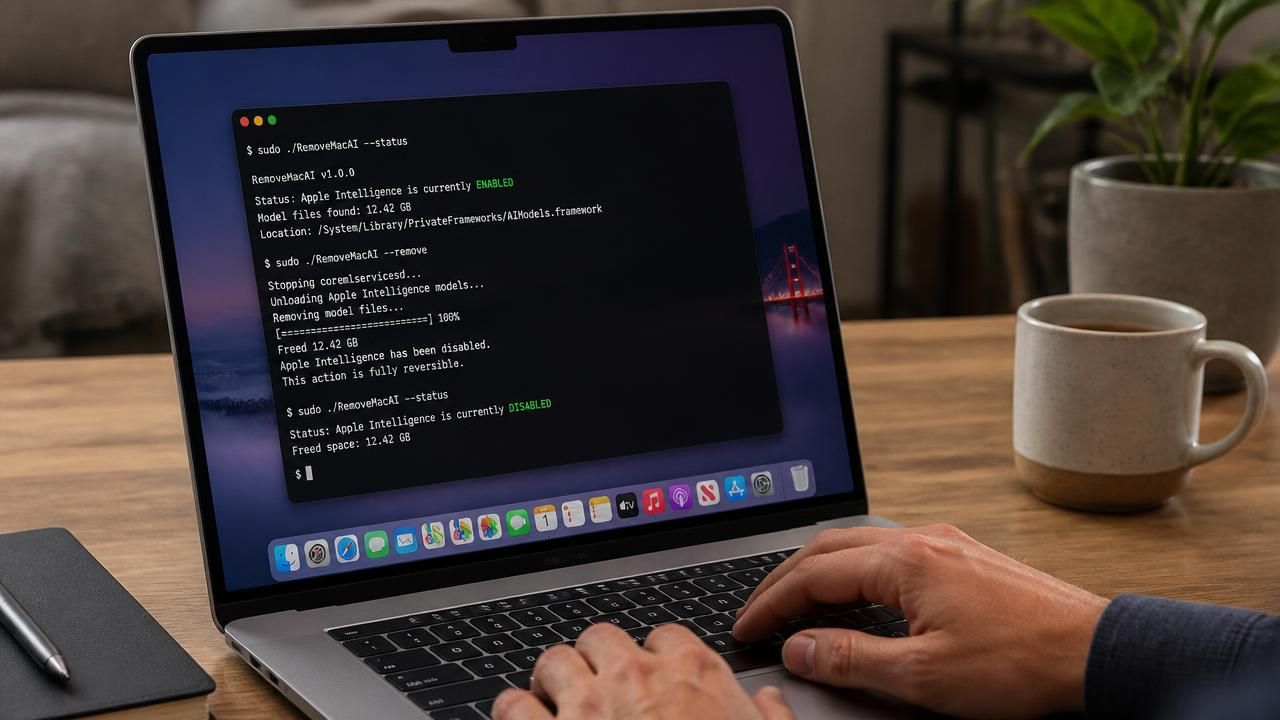
A developer has released an open-source command-line utility that lets Mac users switch off Apple Intelligence in macOS 27 "Golden Gate" — a capability Apple stopped offering through the system's graphical settings — and in the process reclaim gigabytes of disk space consumed by the underlying AI models.
The tool, called RemoveMacAI, was published on GitHub last week by a developer posting as Om Lahore. Its stated purpose is to "turn off Apple Intelligence on macOS 27" in a way that is "fully reversible," according to the project's GitHub page.
The release lands at an awkward moment for Apple, whose latest desktop operating system ships with generative AI features that are difficult to disable and resource-heavy enough to bother users on storage-constrained machines.
The toggle that disappeared
In earlier versions of macOS, users could flip a single switch in System Settings to disable Apple Intelligence. macOS 27 Golden Gate removes that switch entirely, leaving users to hunt through individual feature settings and disable AI capabilities one by one — an approach that does not stop the associated models from occupying disk space.
That design decision is the proximate cause of RemoveMacAI's existence. As Ars Technica reported, the absence of a master toggle means "the AI models necessary for running Apple Intelligence will take up space on your disk, even if you don't use them or if you go through your settings to individually find and disable AI capabilities."
The storage footprint is not trivial. Lahore estimated the Apple Intelligence models consume "about 12GB," a figure echoed in headlines across MacRumors, Cult of Mac and other Apple-focused outlets. But the number may understate the problem: The Verge noted the models can actually occupy more than 30GB, depending on the system and configuration.
What RemoveMacAI actually does
Unlike a settings toggle, RemoveMacAI operates at the command line. Running it disables Apple Intelligence and deletes the on-device model files that power it, freeing the associated storage. Lahore describes the process as reversible — meaning users who change their minds can restore the AI stack rather than being permanently locked out of features.
Help Net Security framed the tool in precisely those terms: it "turns off Apple Intelligence on macOS 27 and deletes its models." The reversibility claim is central to the tool's pitch, distinguishing it from ad hoc scripts that strip system components with no path back.
How the tech press framed it
Coverage of the release split along predictable lines, each outlet meeting its own audience where it lives.
- Ars Technica emphasized the missing toggle as a usability and consent story — the friction of disabling features you never asked for.
- The Verge led with the open-source angle and the storage payoff, while flagging that the real footprint may exceed the widely cited 12GB figure.
- MacRumors and Cult of Mac put storage reclamation at the center, framing RemoveMacAI as a practical fix for users with full drives — a perennial concern on Macs sold with small SSDs and non-upgradeable storage.
- Help Net Security treated the deletion of AI model files as the headline act, underlining that the tool removes data rather than merely hiding features.
At least one aggregator's version of the story was unreachable, returning an Amazon CloudFront 403 error, a reminder that the story spread quickly across secondary outlets before all of them had functioning pages.
"Turn off Apple Intelligence on macOS 27" — a change that is "fully reversible." — RemoveMacAI's GitHub page
Why this matters beyond disk space
The reaction reflects a broader tension in consumer software: vendors increasingly bundle AI features into operating systems, while users want granular control over what runs on their hardware and what occupies their storage. For Apple, whose marketing leans heavily on privacy and user control, the removal of a simple off switch invites criticism that it is harder to opt out than to opt in.
There is also a practical dimension. Apple has shipped Macs with 256GB base storage for years, and macOS itself plus Apple Intelligence models can consume a meaningful share of that. Users who never touch Apple Intelligence still pay for it in gigabytes — a cost that RemoveMacAI, or manual cleanup, can recover.
Command-line tools carry their own risks. Deleting system-level model files can interact badly with future macOS updates, and Apple has historically been willing to restore or reinstall components it considers integral. Users who rely on Apple Intelligence features such as Writing Tools, notification summaries or on-device image processing should weigh the trade-off before running anything.
What happens next
Apple has not publicly commented on RemoveMacAI. The company could respond by restoring a settings toggle, tightening protections around its model files, or simply ignoring a utility aimed at a technically proficient minority.
Historically, Apple has sometimes reversed course when user pushback is loud enough — and a community-built workaround that makes headlines across Ars Technica, The Verge, MacRumors and Cult of Mac is exactly the kind of signal that tends to reach Cupertino. Until then, Mac users who want their storage back, and their AI switched off, have a command line and a GitHub repository to work with.